
My own desktop runs on Arch Linux and KDE Plasma. I don't use Zorin OS in my daily life, and that's not going to change. Nevertheless, the question comes up regularly: What should someone install who comes from Windows, has no admin background, and above all wants one thing — a desktop that boots up in the morning and shuts down in the evening, without needing to read a tutorial first.
That's exactly the use case for which I test distributions I wouldn't run myself. Zorin OS 18.1 is a point-release on Ubuntu 24.04 LTS, six months after 18.0. No major directional shift — more the usual follow-up work on drivers, desktop behavior, and switcher tools.
What Zorin Is Under the Hood
Zorin OS isn't a distribution for people who build their own system anyway. The team around Artyom Zorin takes Ubuntu as a base and adds what makes the transition from Windows or macOS easier in everyday life: pre-configured layouts via Zorin Appearance, built-in logic for Windows installers, and a second edition for weak hardware.
The technical foundation remains Ubuntu. That's both a strength and a dependency: security updates, package management, and the LTS rhythm come from the same ecosystem as millions of other installations. What Zorin additionally provides has to be maintained by the team itself — desktop overlays, detection logic, themes, installer flow.
What 18.1 Changed
The relevant differences from 18.0 at a glance:
| Feature | Zorin OS 18 | Zorin OS 18.1 |
|---|---|---|
| Kernel | 6.5 | 6.17 |
| App Detection | Standard | +40% (240+ apps) |
| Window Tiling | Basic | Edge snapping, extended layouts |
| Hardware | Standard | ROG Ally, ThinkPads, hybrid GPUs |
| Support until | June 2029 | June 2029 |
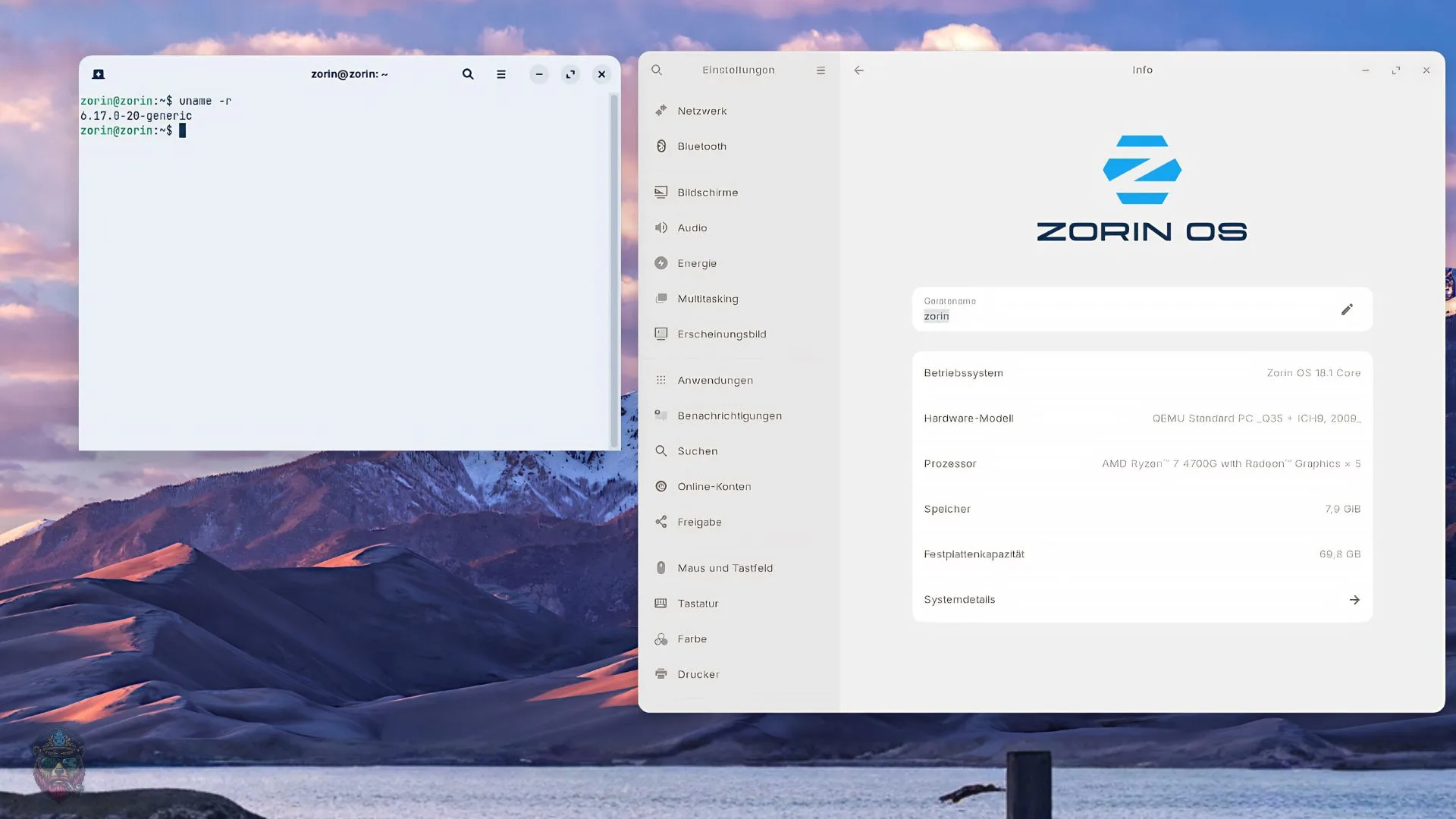
In my view, Kernel 6.17 is the most important point. NVIDIA, Intel Xe3, AMD hybrid GPUs, ThinkPads, Galaxy Books, and handhelds like the ASUS ROG Ally are detected without manual tweaking. That's exactly where Ubuntu 24.04 in practice still produced more questions than solutions.
The extended Windows app detection is the second lever. Instead of launching Wine by default, Zorin first tries to find native alternatives — Plex from the store, Evolution instead of Outlook, matching Flatpaks from Flathub. This significantly reduces support effort for switchers, because the most common mistake isn't technical but organizational: installing the wrong app and then wondering why nothing works.
At the desktop level, tiling, panel, and RTL support have been updated. Tiled windows come to the front when switching via taskbar or dash, edge tiling applies custom layouts, tray icons can be placed in the panel. No architectural decision — but exactly the kind of friction that shows up in daily use.
Hardware, Editions, Running Costs
The official minimum requirements:
- CPU 1 GHz dual-core, 64-bit Intel or AMD
- RAM 2 GB minimum, 4 GB recommended for Core
- Storage 15 GB free (Core)
- Display 800 × 600 pixels
The Core edition with GNOME practically needs closer to 4 GB RAM if the desktop is supposed to stay smooth. For older hardware there's the Lite edition on XFCE 4.20 — same kernel, same support until June 2029, less decoration, less memory hunger.
What should be factored into a recommendation: Zorin maintains APT, Flatpak, and Snap in parallel through a shared updater. That's convenient for beginners, but expands the update surface. Anyone administering things later needs to understand which package comes from which source. And some layouts are locked behind the Pro edition — often irrelevant for private users, but worth mentioning for an honest assessment.
Zorin vs. Ubuntu
Both share repositories, kernel line, and LTS timeframe. The difference lies in the operational assumption.
Ubuntu 24.04 delivers a clean GNOME shell and leaves the rest to the user. Zorin assumes that familiarity matters more than maximum configurability on day one. Pre-made layouts instead of extension hunting. Built-in .exe detection instead of manual Wine prefixes. A Lite variant that doesn't have to be assembled afterward.
Whether this is the right trade-off depends on the target system. For an experienced administrator, Ubuntu is often the more flexible foundation. For someone who needs to become productive before understanding what a .desktop file is, Zorin is the clearer answer.
Hands-On on a Low-End Machine
The ISO comes in at around 3.8 GB (Core) or 2.9 GB (Lite). The installer follows the familiar Ubuntu path: partitioning, LVM, LUKS, all via GUI. After the first boot, Zorin Welcome appears with layout, theme, and update suggestions. No post-install terminal needed.
On a machine with Core i3 and 4 GB RAM, the Lite edition idled at 280–350 MB RAM. The Core edition with GNOME at 780 MB — noticeably quieter than 18.0, but on this hardware no replacement for XFCE.
The Windows app detection worked in testing: .exe files were recognized, native alternatives were suggested, or Wine 9.0 was launched with appropriate settings. Steam, Epic, GOG, and similar launchers ran without special tweaking. DRM issues remain possible — just less frequently than with a manually assembled Wine setup.
For me, Zorin remains a recommendation system, not a daily driver. For parents, school, home office, or the first Linux attempt after Windows, 18.1 is a well-justified point-release: Ubuntu underneath, familiar interface on top, and the changes target the spots that actually hurt in everyday use — hardware detection, window behavior, Windows app handling.